23 February 2026 - 5 min read
Instagram Trends - February 2026
Introducing "Instagram Trends 2026" – your source for staying ahead of the game on the latest Meta craze!
Staying ahead of the latest trends on Meta (Instagram and Facebook) can be tricky, but don't worry, we’ve got you covered!
Every two weeks, we’ll update you on the hottest trends across Meta platforms, helping you stay on top of what’s catching fire on Instagram and Facebook. Whether it’s trending hashtags, viral sounds, or popular formats, we’re here to help you create content that resonates.
Please note:
- Regular updates: Instagram trends are updated every week, giving you enough time to test, learn, and adapt without the pressure to move too fast.
- Across platforms: Our focus here is Meta, but we also track TikTok trends on our TikTok Trends page, updated weekly. Testing trends on both platforms helps you see what really resonates.
- Stay true to the trend: Instagram favors clean, relatable, and authentic formats. Avoid forcing promo moments; short, on-trend videos that fit your brand voice perform best.
- Pick what fits: Not every trend will work for every brand. Use the ones that align with your goals and audience but we’ll flag the most relevant use cases to guide you.
Want creators to turn these trends into ads for your brand or your clients? 👉 Book a demo here.
23 Feb 2026
On Drip
This trend plays on the idea of being “addicted” to something but in a dramatic and visually aesthetic way.
The video starts with a close-up that looks like an IV drip connected to the creator’s arm. The camera zooms out to reveal that the “drip” isn’t medical at all but rather connected to a product, app, or obsession. The message is simple: this is what I survive on.
It doesn’t have to look like an IV tube; it can be a chain, a thread, anything to give context.
How to do the trend
- Start with a close-up of a fake IV setup (or creative illusion)
- Make it look serious at first
- Zoom out to reveal what it’s actually connected to (product, phone screen, pile of items)
- Add text overlay like “addicted” or “main source of survival.”
- Keep it dramatic and slightly exaggerated
How can creators use it
Finance / Payment Apps:
Visual: IV tube connected to a phone showing the SumUp app.
Text ideas:
- “Addicted to accepting payments without cash.”
- “Hooked on getting paid on time.”
Dating apps:
Visual: ribbon IV connected to phone with dating app open.
Text ideas:
- “Addicted to finding someone who actually wants to connect.”
- “Surviving on good conversation.”
Productivity:
Visual: wire IV connected to app dashboard.
Text ideas:
- “Addicted to organized chaos.”
- “Surviving on scheduled posts.”
For this trend, use this audio.
What's your type
This trend starts with the question: “So what’s your type?”
Instead of answering directly, the creator shows clips that represent their lifestyle, habits, or brand. Coffee orders, outfits, routines, small details and the answer is simply: “This.”
Let the visuals do the talking.
How to do this trend
- Show yourself in the first few seconds with text overlay: “So what’s your type?”
- Add short clips that represent your vibe: morning routine, favorite products, small lifestyle details
- Keep it aesthetic and cohesive
How can creators use it
- Productivity: show organized calendars, checked to-do lists, tasks completed
- Wellness: early morning routines, yoga in the park, healthy smoothies
- Ecom: unboxing, packaging, styling in real life
For this trend, use this audio.
16 Feb 2026
Text line drop
This trend mixes movement with text reveals. The creator jumps, stomps, or makes a strong movement and with each motion, the frame shifts downward to reveal a new line of text. It feels dynamic and satisfying, almost like you’re unlocking each sentence step by step.
It’s simple, but the movement makes it way more engaging than a static text post.
How to do the trend
- Film yourself standing centered in frame
- Leave space above or below for hidden text
- Add your first line of text on screen
- With each jump, stomp, or step, move the frame down in editing
- Reveal a new line of text each time
- Keep the lines short and punchy
- Use keyframes in your editing app to create the smooth “drop” effect
It works best when each line builds on the previous one.
How to use it:
- Share an opinion
- Tell a short story
- “Why ___ is a good app” and list out reasons
For this trend, use this audio.
Girl dinner
This trend recreates the viral “girl dinner” format but instead of actual food, creators lay out aesthetic items that represent their current vibe, routine, or personality. Think fashion pieces, makeup, jewellery, stationery, tech, or even abstract ideas.
Everything is arranged on a tray, plate, or clean surface, and the creator moves a fork or spoon over the items like they’re “choosing” what they’re having. It’s playful, curated, and a little tongue-in-cheek.
How to do the trend
- Lay out 4-8 items on a tray, table, or marble counter like fashion accessories, makeup products, jewellery, stationery, or tech or app-related visuals
- Keep the setup aesthetic and cohesive
- Film from above
- Move a fork or spoon slowly over the items in sync with the audio
- Add subtle text overlays if needed
- You can label items literally
- Or use abstract labels (e.g. “confidence,” “time saved,” “main character energy”)
How to use it:
Fashion & accessories: Lay out pieces that represent a mood or season
Beauty & makeup: Show everyday staples
Apps & tech brands: Use objects to represent app features (notebook = organization, clock = time tracking, phone screen = the app itself). Add text overlays for abstract benefits (clarity, less stress, automated)
For this trend, use this audio.
9 Feb 2026
Fake Green Screen
This trend plays with visual misdirection. It starts like a normal green-screen reaction video, with the creator placed in a corner reacting to something “behind” them. Then comes the twist: someone from the background steps forward and interacts with the creator, revealing it was never a green screen at all.
That moment of surprise is the whole joke.
How to do the trend
- Frame the shot like a classic green-screen video: creator in the corner
- React or comment on what’s happening in the background: advice, criticism, an opinion
- Have someone from the background step into the frame and react physically or verbally (like a playful slap, a look, a comment back)
- Keep the interaction quick and exaggerated for comedy
Scenarios to try:
- Calling out a habit but the background person reveals the real context or product use
- Critiquing how something is done “the hard way” but background person shows the easier or smarter option
Nobody Cares
This trend jokes about feeling like no one’s paying attention except that one person who’s fully cheering you on. The setup usually leans into self-doubt (“no one cares”), then flips it by showing unconditional support from a friend, sibling, coworker… or even yourself from another account.
It’s funny, a little self-aware, and surprisingly motivating.
How to do the trend
- Start by talking about something you’re excited about or proud of (a project, a habit, an underrated app or product)
- Acknowledge that it feels like no one cares
- Cut to the one person who supports you with over-the-top encouragement
Scenarios to try:
- Talking about an underrated feature or tool and a coworker backs you up because it actually helps
- Sharing niche interests and liking it from your second secret account
For this trend, use this audio.
2 Feb 2026
Forced Laughs
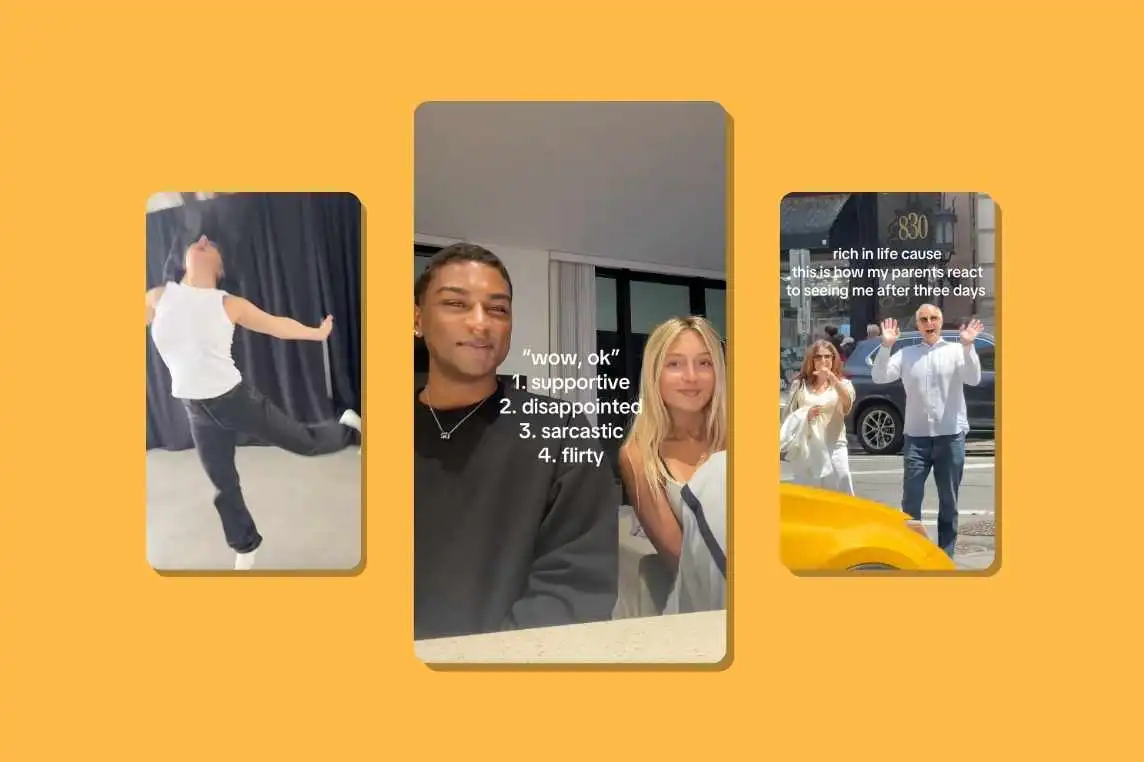
This trend is all about those awkward moments where you have to laugh… even though nothing is actually funny. One person says or shows something they clearly think is hilarious, while the other responds with a very obvious fake laugh out of politeness, self-interest, or because the situation demands it.
It works because everyone knows that laugh.
How to do the trend
- Film a moment where someone shares a “joke,” idea, or comment
- Cut to the other person’s reaction
- A forced smile
- An over-the-top laugh
- Very obvious “haha… yeah” energy
- Let the fake laugh be the punchline
- Works well as a short skit or reaction-style video
Scenario’s to use
- Laughing at a boss’s joke
- Reacting to a partner’s jokes
- Polite laughs in awkward interactions with clients and customers
For this trend, use this audio.
Carousel List
This trend is all about turning information into an easy-to-swipe list. The first slide introduces the topic, and every slide after that shows one clear point from the list. It’s simple, scannable, and gives people a reason to keep swiping.
The topic can be anything: skincare, fashion, habits, apps, mistakes, routines. What makes it feel fresh is the visual execution: playful backgrounds, different images per slide, and fonts that match the vibe.
How to do this trend
- Create a carousel post
- Slide 1: Introduce the list
- Slides 2-end:
- One point per slide
- Keep text short and readable
- Use different images or backgrounds for each point
- Match visuals to the topic
- Keep it visually varied so it doesn’t feel repetitive
- Play with fonts, spacing, and layout
- End with the strongest or most relatable point
Examples of concepts
- Apps and tools (“tools that make my life easier”, “things I stopped doing manually”)
- Beauty + skincare (“things I stopped doing to my skin” “my everyday skincare rules”)
- Fashion (“outfits I always feel good in”, “pieces I rewear the most”, “things I stopped buying”)
There is no sound related to this trend.
Instagram Trends January | Instagram Trends February | Instagram trends March | Instagram Trends April | Instagram Trends May | Instagram Trends June | Instagram Trends July | Instagram Trends August | Instagram Trends September | Instagram Trends October |
.webp)



.webp)
.webp)
.webp)

.jpg)


%20(1).jpg)




.jpg)





.jpg)








.jpg)